
The LCSR Upload Template is pre-formatted with each of the LCSR record data elements. You can populate it with your data and upload it, instead of creating the text file described in LCSR Data File Upload. You can download it from the link at the bottom of this page, or from the NRDR portal. To download it from the portal, click Data in the top menu of any page. Then click the drop-down arrow next to LCSR & IPN, and then click Upload Data File:
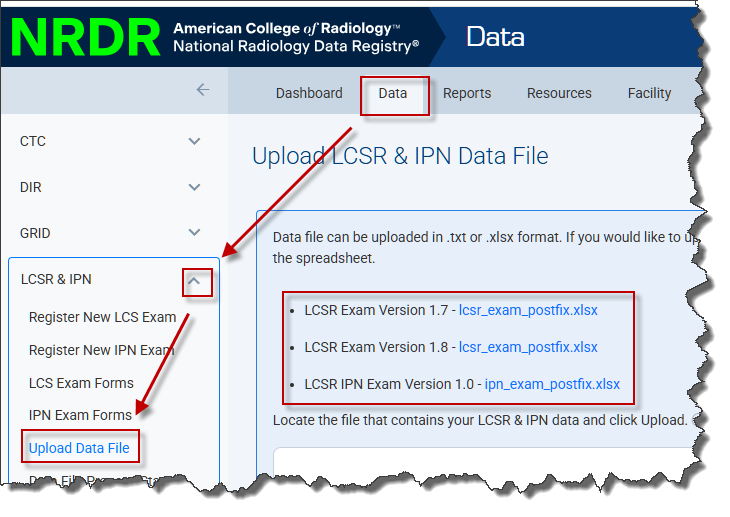
Alternatively, you can create your own Excel workbook with your data, as long as it is formatted like the template. However, we highly recommend using the template provided. NOTE: When uploading an Excel file, please ensure it does NOT have any formulas in the cells. This will cause the file to reject and potentially not allow the log file to be accessed.
The template includes a Facility ID column, to allow data for multiple facilities to be included in a single file. If the Facility ID column is left blank, data for that row will be uploaded to the facility currently selected in the facility picker.
Versions:
- LCSR Data File Upload Template v1.7: October 11, 2025
- LCSR Data File Upload Template v1.8: October 11, 2025