
The following update is being introduced as part of NRDR version 14 on July 18th, 2026.
A New User Experience Designed to Better Fit Your Workflow.
What’s New
NRDR Release 14 introduces a new, modernized user interface (UI) designed to improve usability, streamline navigation, and enhance the overall user experience. While the look and organization of the system have changed, core functionality remains the same.
Redesigned Dashboard
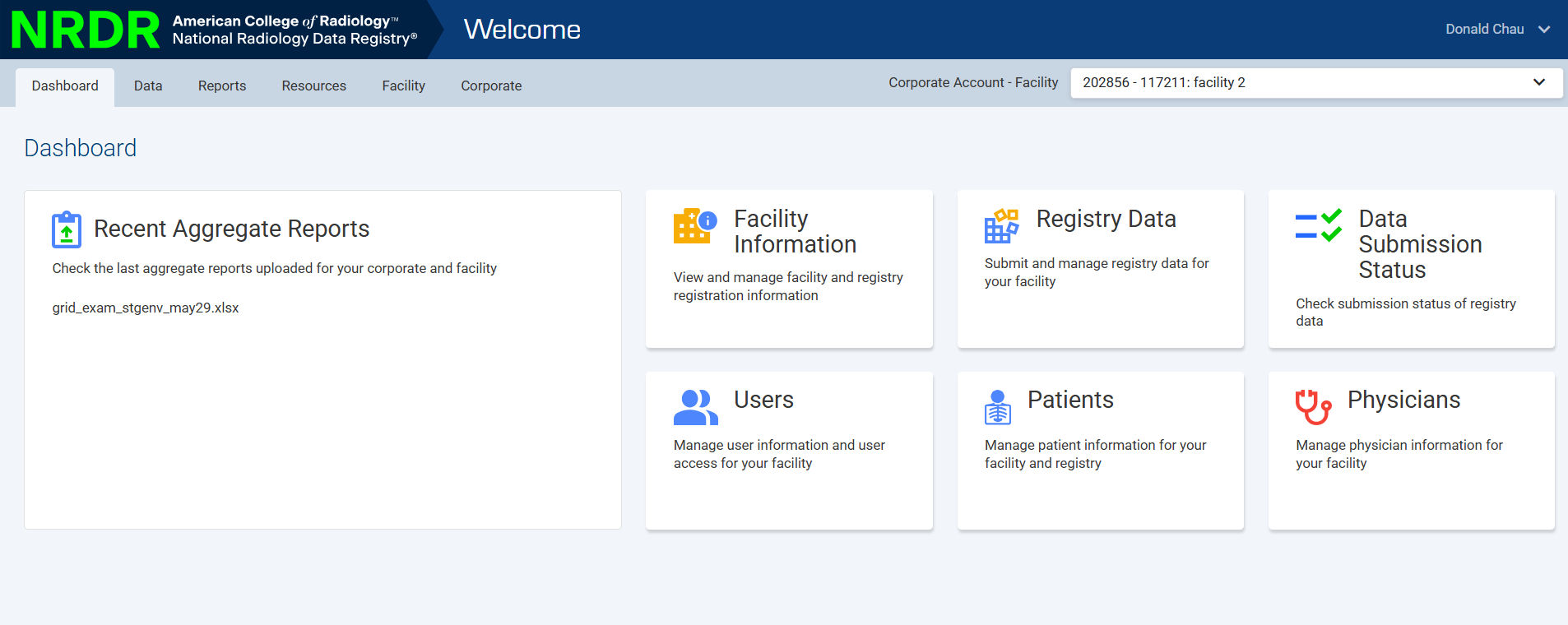
A new dashboard landing page provides quick access to commonly used features based on your role.
Easily navigate to key areas such as Users, Patients, and Physicians directly from dashboard tiles.
View recent aggregate reports for your selected corporate and facility.
Streamlined Navigation
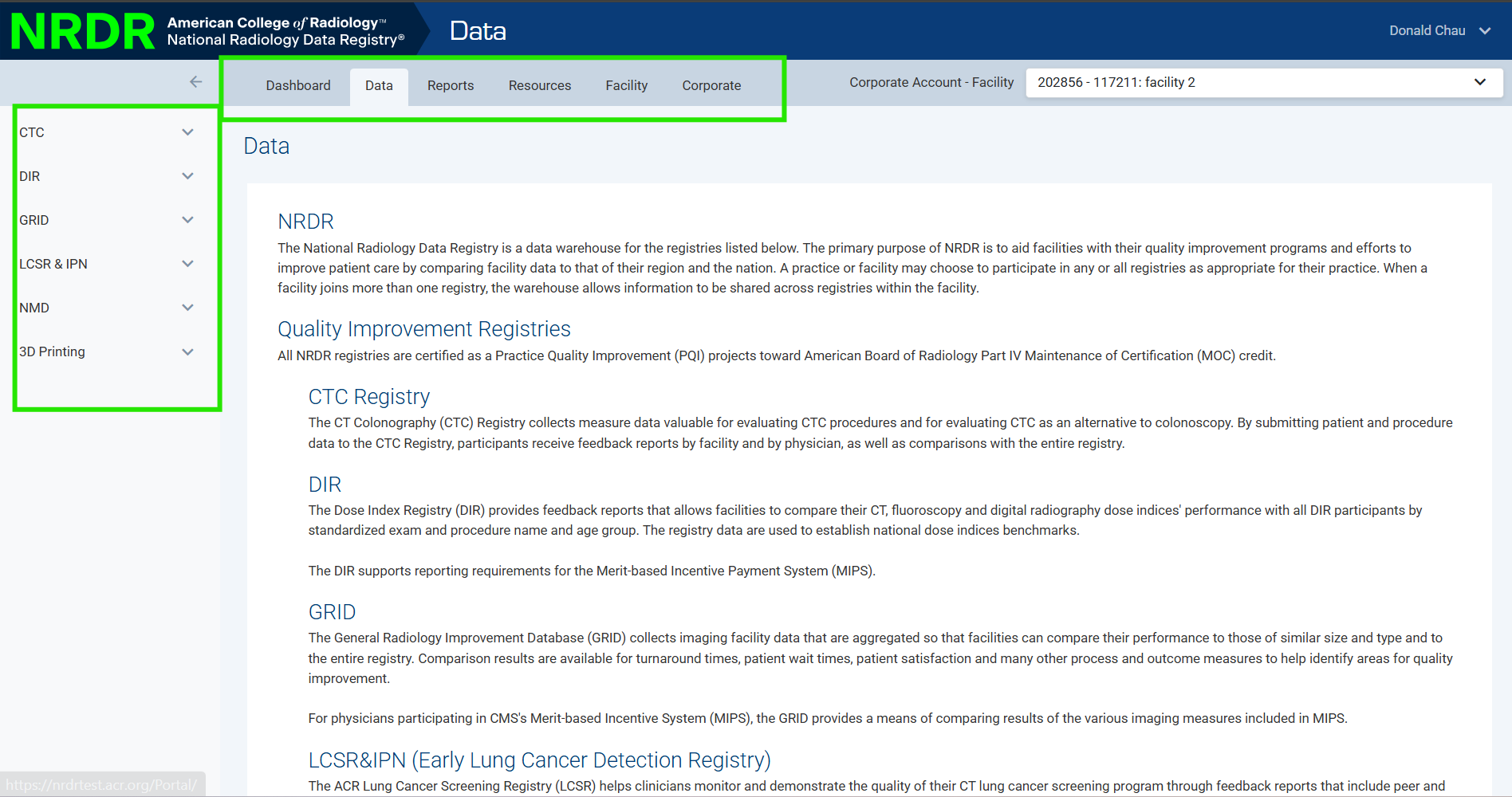
A new top-navigation menu allows you to move between sections without returning to the main menu.
Navigation is now organized into clear categories:
Data
Reports
Resources
Facility
Corporate
Note: The system now remembers your selected registry across tabs, reducing the need to repeatedly reselect it.
Centralized Data Section
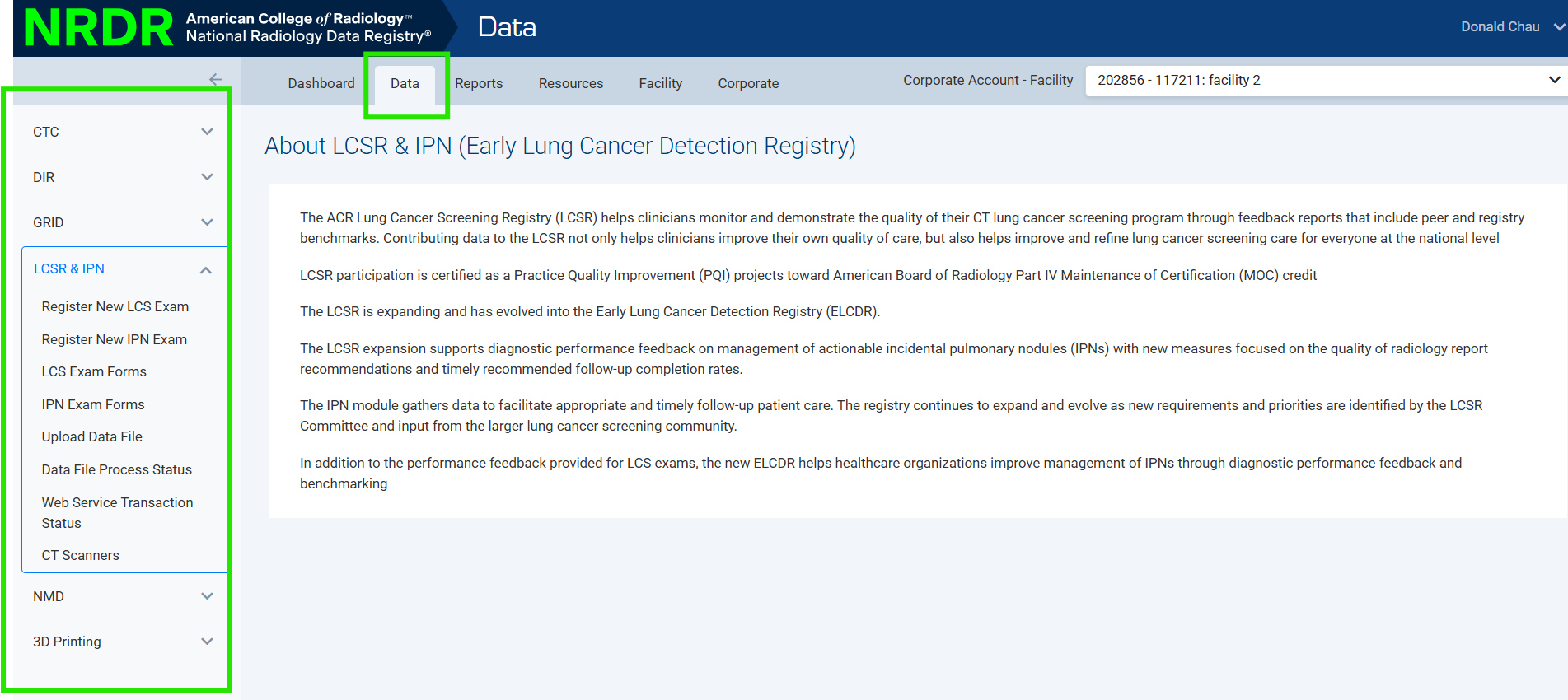
All data-related tasks are now grouped in one location, including:
Registering exam forms
Searching for exam records
Uploading data files
Viewing file processing status
Note: Functionality has not changed—only how it is organized.
New Data Submission Status Page
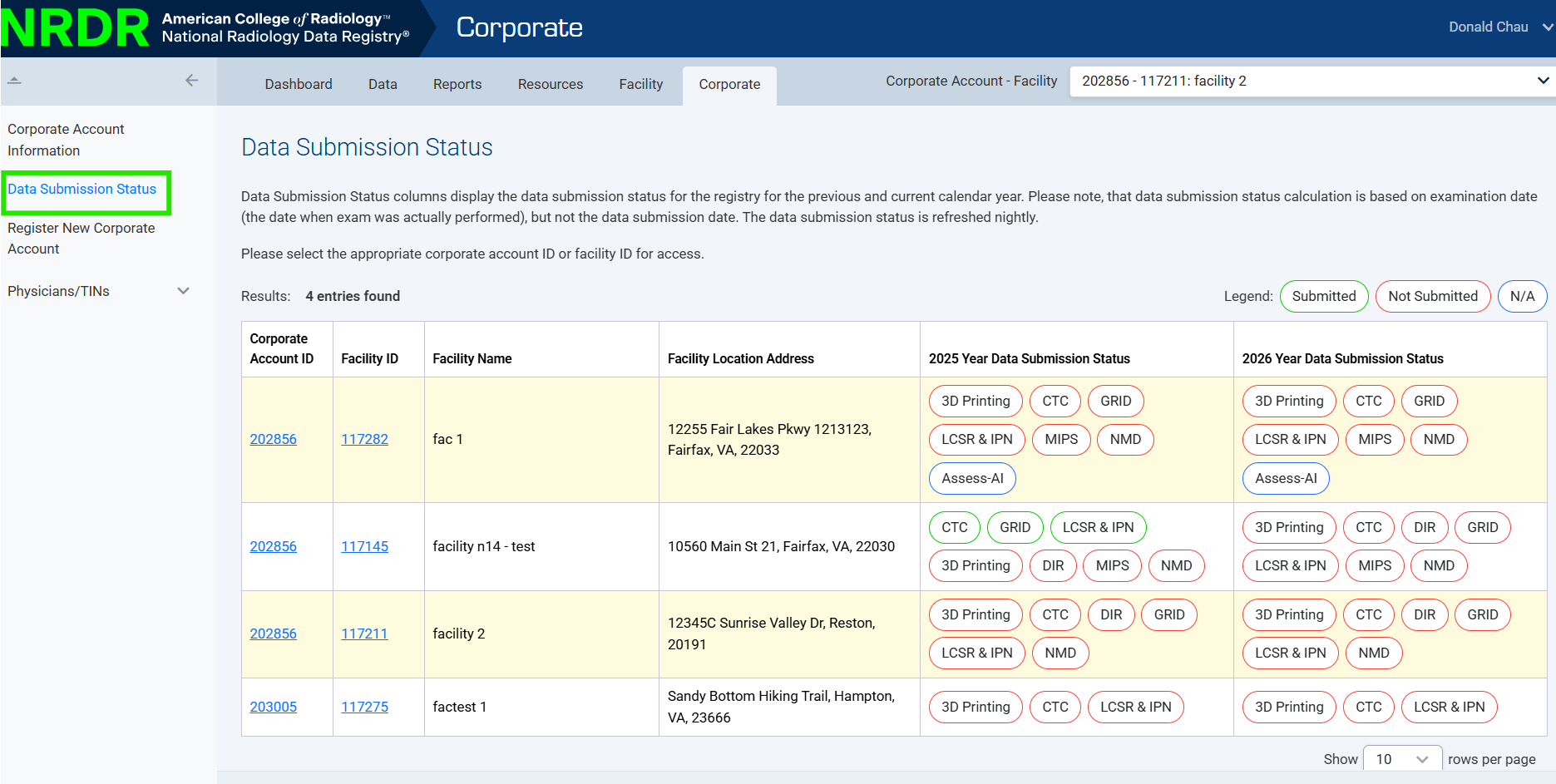
A new Data Submission Status page provides:
Submission status by registry
Current and prior year views
Clear visual indicators of submission status
Reports Improvements
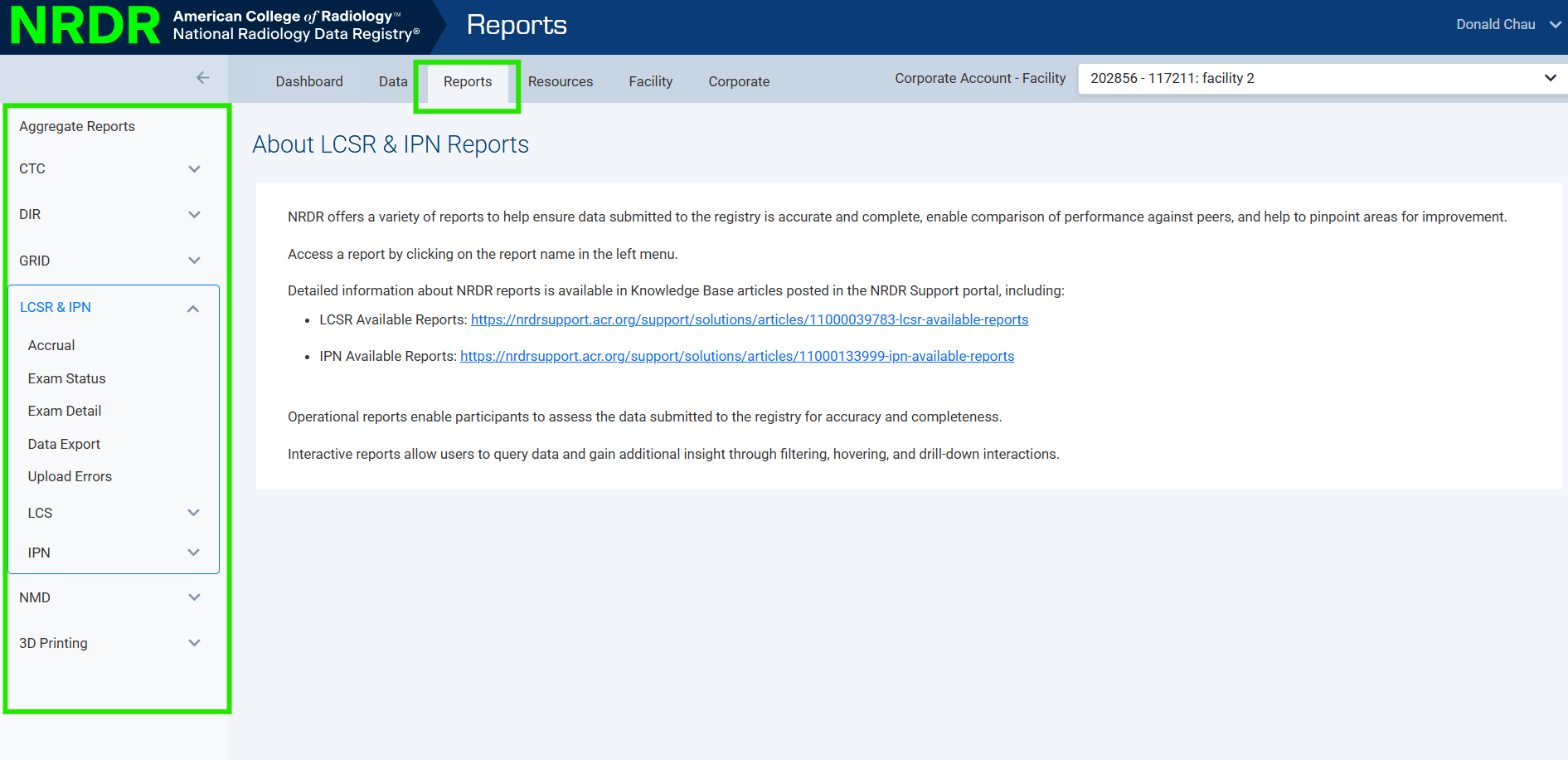
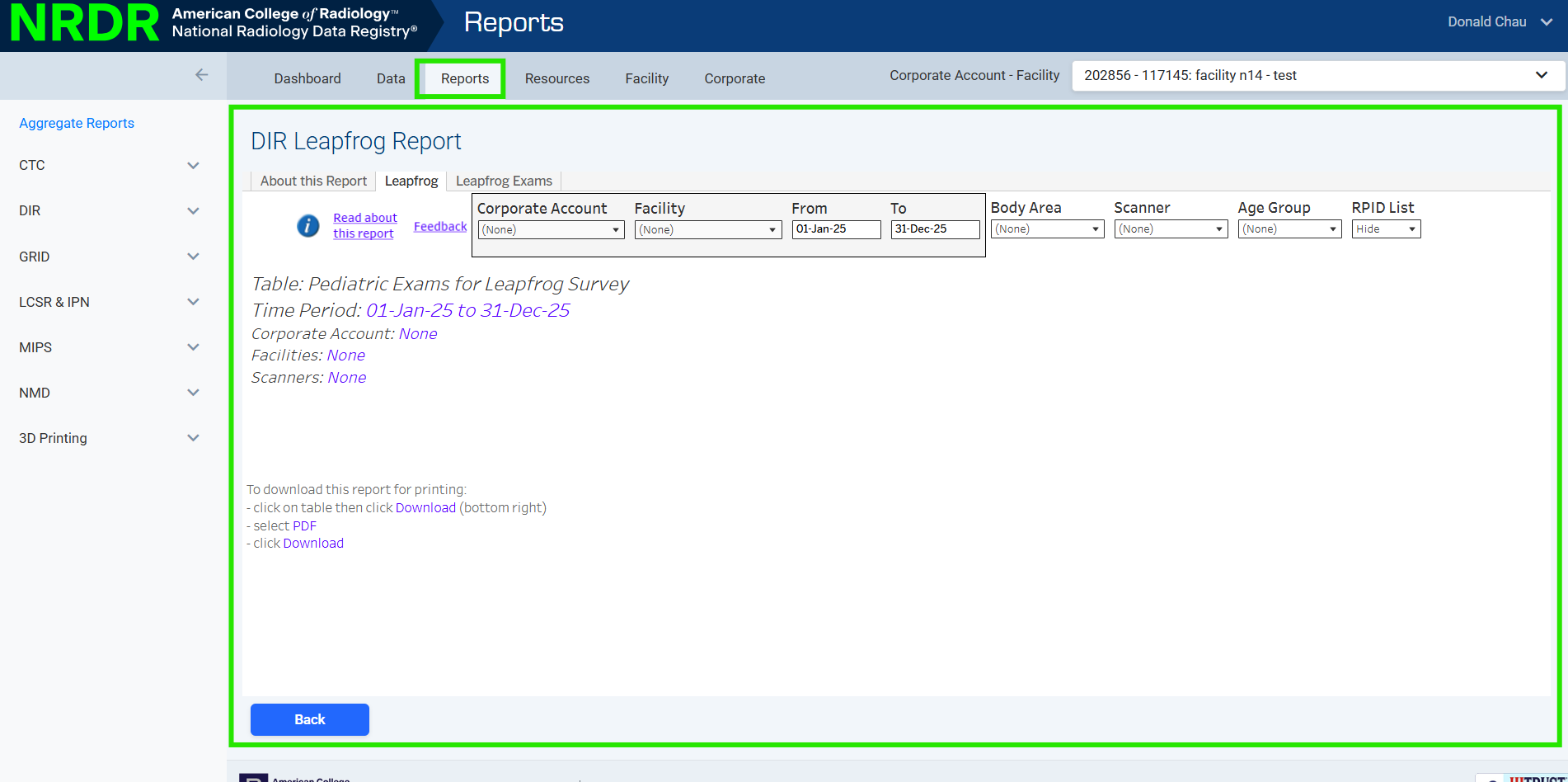
All report types are now available in one place:
Aggregate reports
Registry reports
Interactive/operational reports
Note: Reports now open within the NRDR portal instead of a separate browser window.
Resources Section
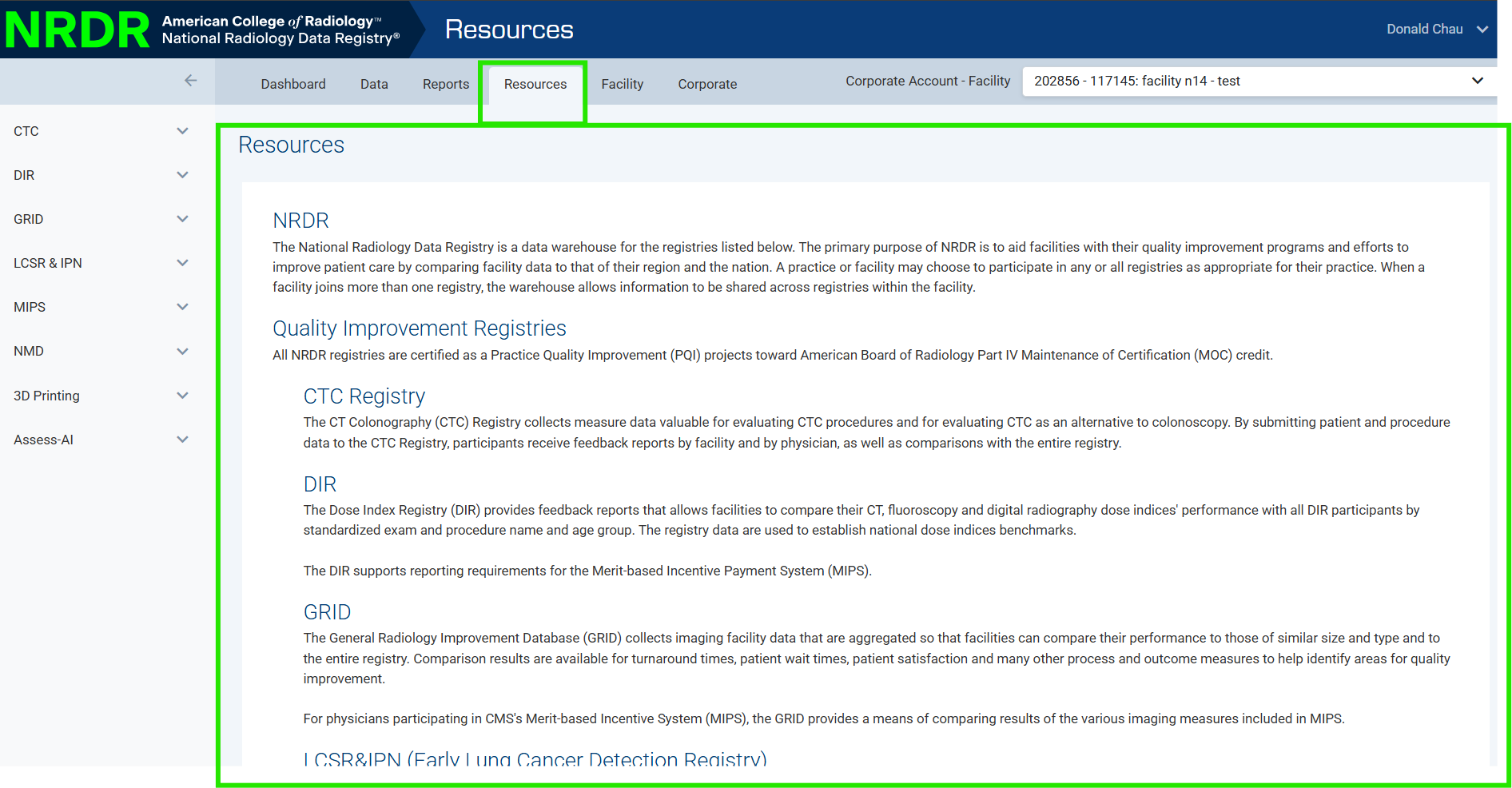
Access all registry-specific resources and support documentation from one centralized location.
Facility Management Updates
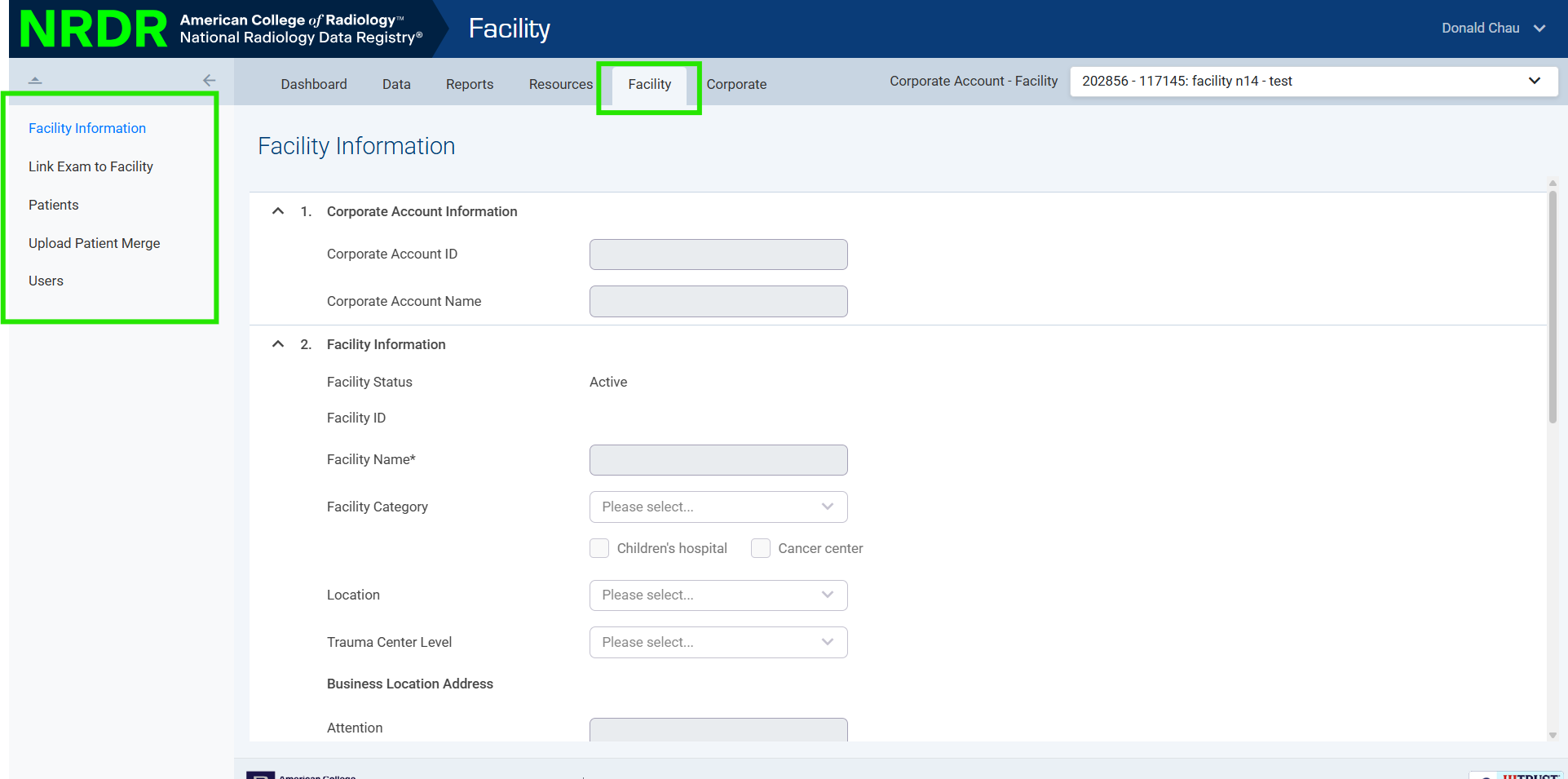
Updated pages with the new interface for:
Facility information
Patient management
Patient merge and duplicate resolution
Physician & Team Management Enhancements
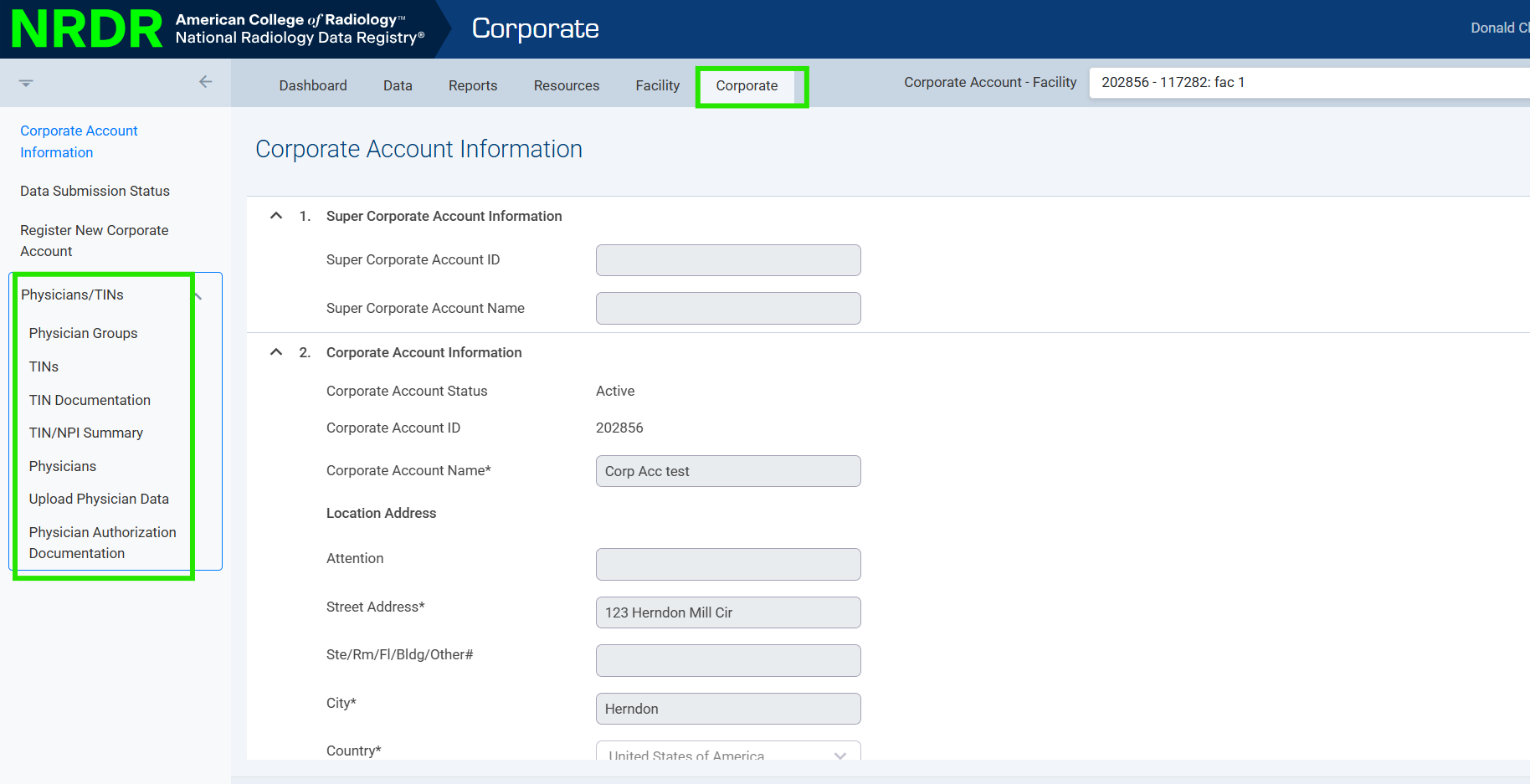
Centralized tools for:
Managing physician groups and teams
Uploading physician and team data
Managing required documentation
User management has been simplified
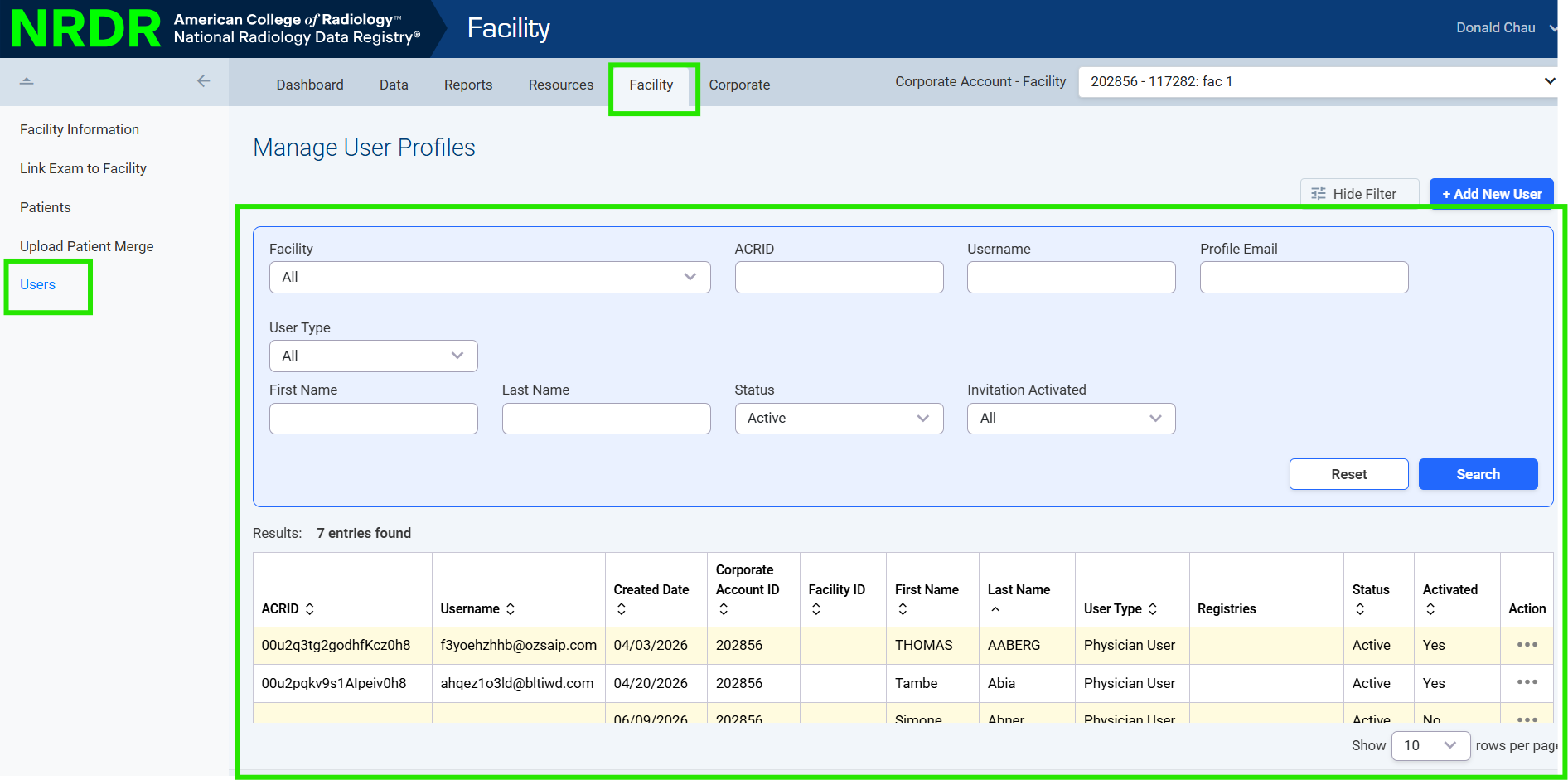
Manage User Profiles and Manage User Accounts have been consolidated into a single Users page
Perform all actions (create, edit, delete, resend invites) in one place
Corporate & Billing Enhancements
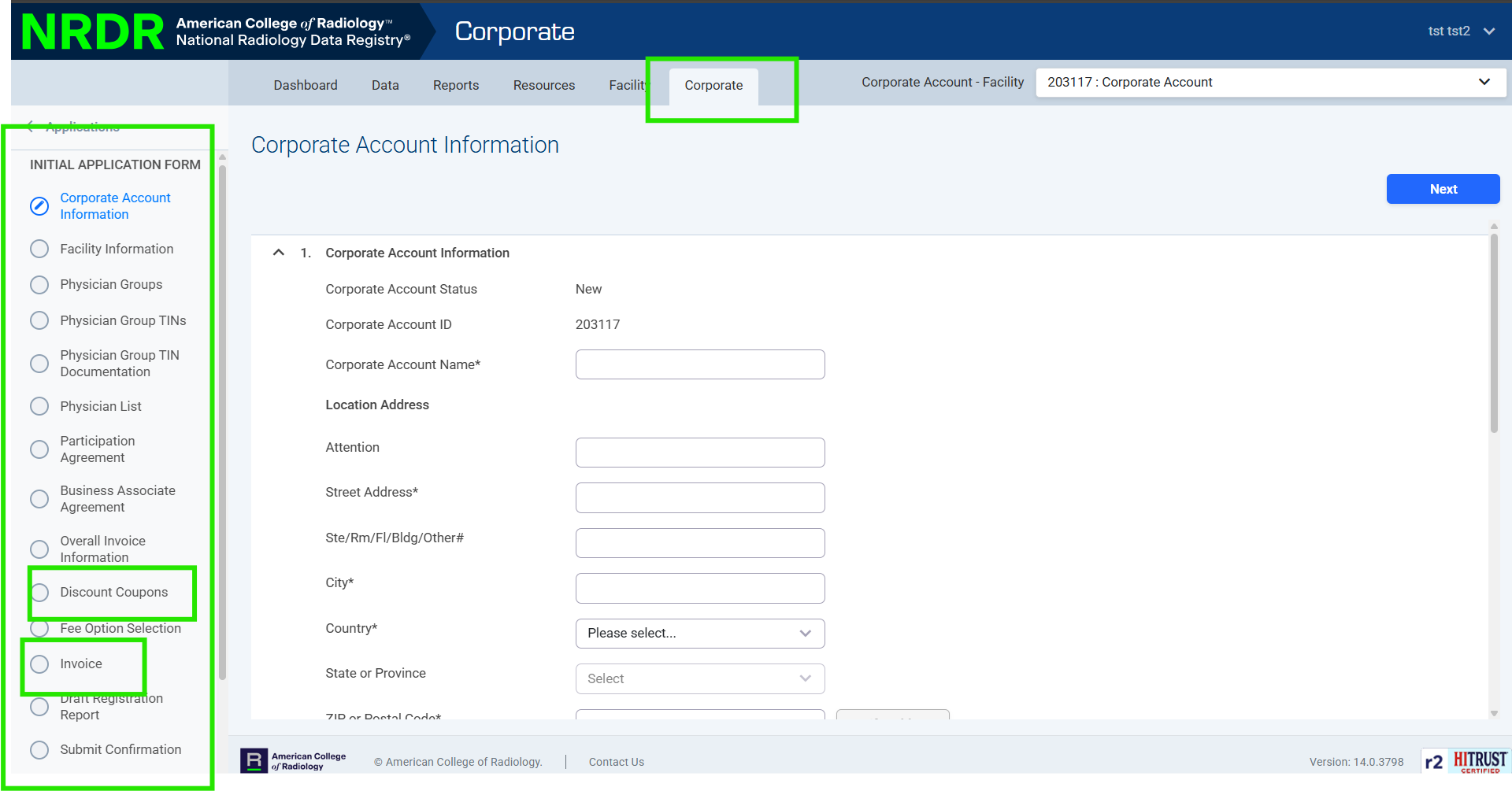
Corporate-level features are now better organized, including:
Invoices (registry fees, CMS reporting, and adjustments)
Invoice filtering, viewing, and printing
Online payment access
Invoice Settings allow you to:
Update billing preferences
Apply discounts/coupons
Adjust fee structures
What Has Not Changed
All existing functionality remains the same—this release focuses on usability improvements only.
The following features remain available via portal redirect:
External Exam Name Mapping tool
MIPS portal access